

Release List
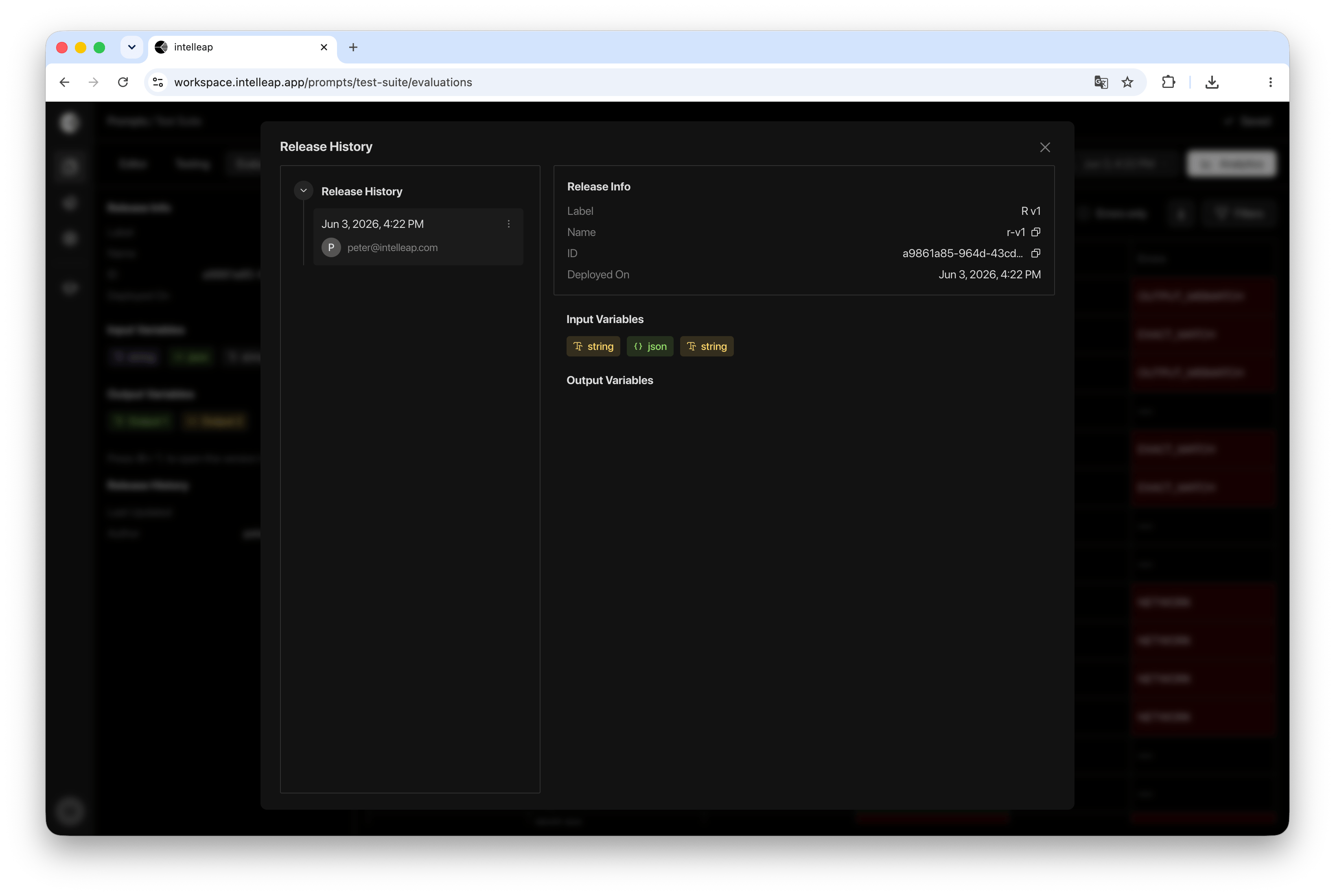
The left side of the dialog displays a list of published releases for the current prompt. Selecting a release updates the information displayed in the details panel. For each release, the following information is displayed:- Publication Date
- Author
- Release Version
Release Information
When a release is selected, the details panel displays summary information about that release. Available information includes:- Label
- Name
- Release ID
- Deployment Date
Opening a Release in Sandbox
Any release can be opened using the Open in Sandbox action. This allows users to quickly return to a previously published release and continue working with it.Deleting a Release
Release History also provides the ability to remove published releases. To delete a release, open the release actions menu and select Remove. After confirmation, the selected release is permanently removed. Deleting a release does not affect other releases associated with the prompt.Using Release History
Release History helps users:Review releases
Review published releases and inspect release metadata.
Inspect structure
View release input and output variable structure.
Open in Sandbox
Open a published release using the Open in Sandbox action.
Remove releases
Remove outdated releases when they are no longer needed.