

- Editor
- Testing
- Evaluations
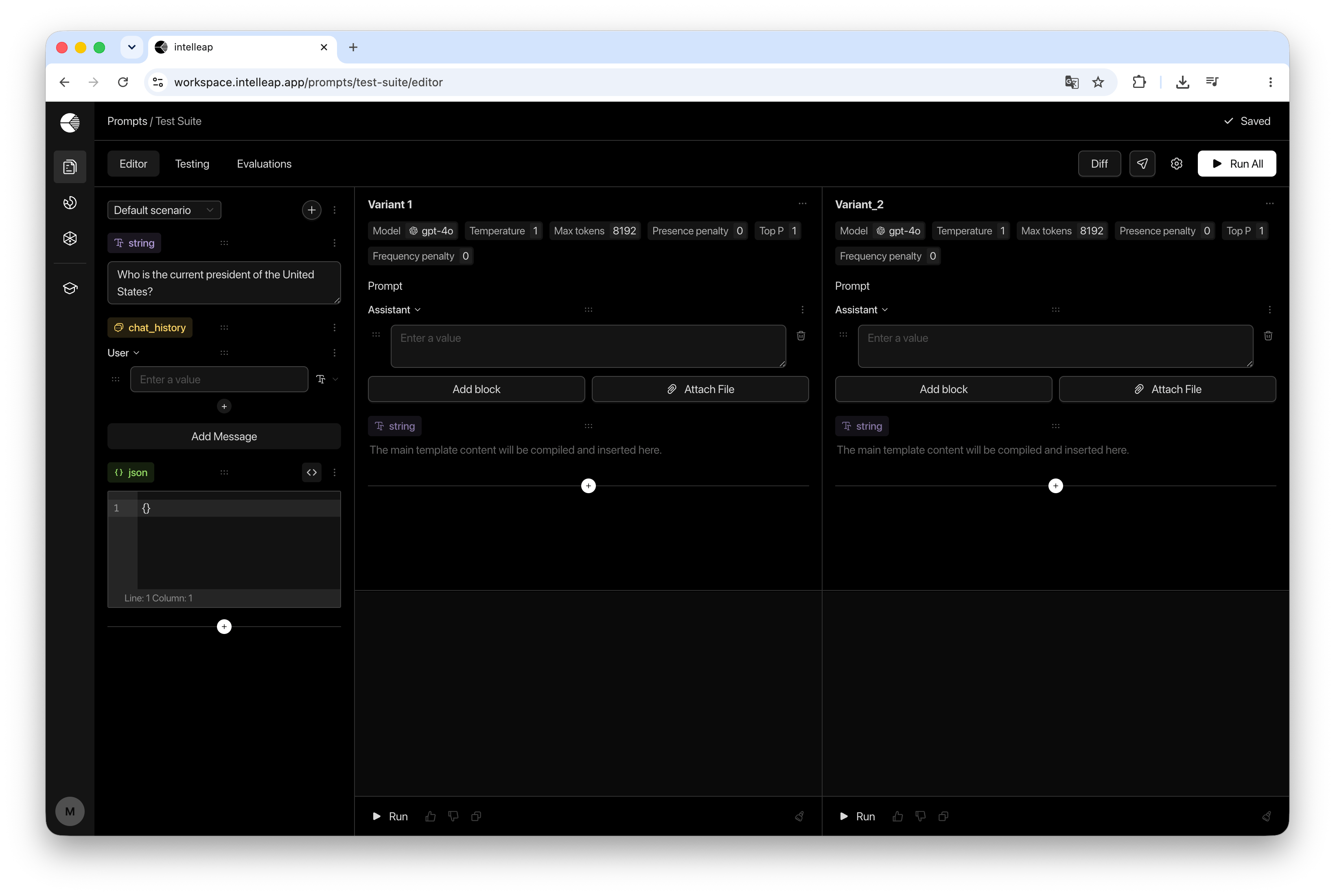
Editor Layout
The Editor consists of two main areas:Variables sidebar
Manage scenarios and variables associated with the current prompt.
Prompt variants workspace
Create, configure, run, and compare one or more prompt variants.
Scenarios
Scenarios store different sets of values for prompt variables. Switching between scenarios changes the values assigned to variables while preserving the variable structure itself. This makes it possible to test the same prompt variants against multiple input configurations. New scenarios can be created from the scenario selector located at the top of the sidebar.Variables
Variables define the data used throughout prompt variants. Intelleap supports the following variable types:String
Plain text values used for inputs, instructions, parameters, and test data.
Chat History
Multi-message conversation context with user, assistant, and system roles.
JSON
Structured data edited through the built-in JSON editor.
Prompt Variants
Prompt variants allow different prompt configurations to be tested side by side. Each variant contains:- Model settings
- Shared prompt body
- Context Before blocks
- Context After blocks
- Output area
Running Variants
Prompt variants can be executed individually or together.Run
Execute one variant and display the result inside that variant.
Run All
Execute all visible variants simultaneously from the Editor header.
Comparing Variants
The Differences action allows users to compare the structure of prompt variants. When multiple variants are available, any two variants can be selected and compared side by side. Differences are displayed in a dedicated comparison view. The Differences action becomes available only when more than one variant exists.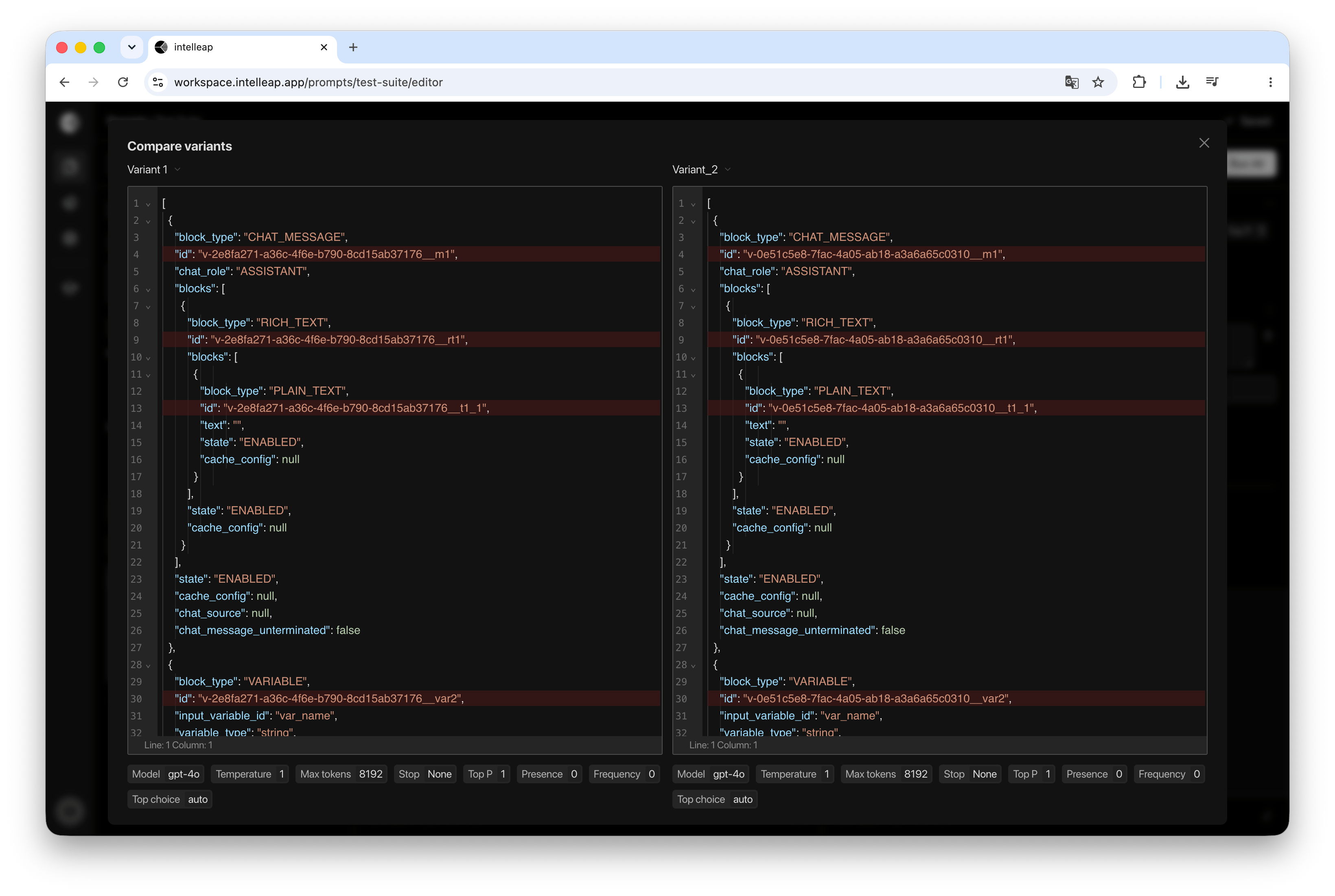
Releases
The Releases action creates and manages prompt releases. A release captures the current state of a prompt and makes it available in Testing and Evaluations. The Releases dialog provides two options:- New Release
- Update Release
Usage Limits
Users without full access are limited to:- 3 scenarios per prompt
- 10 variables per prompt
- 3 prompt variants per prompt
These limits apply to users without full access. Full-access workspaces can use higher limits.