

- Scenarios
- Variables
- Prompt body
- Variants
- Model settings
- Context blocks
Testing and Evaluations always work from a published release, not from an unsaved editor draft.
Creating a Release
To create a release, click Releases in the Editor header.1
Open Releases
Click Releases in the Editor header.
2
Select New
In the Releases dialog, select the New tab.
3
Publish
Provide the release Label, Name, and Description, then publish the release.
- Label
- Name
- Description
Updating a Release
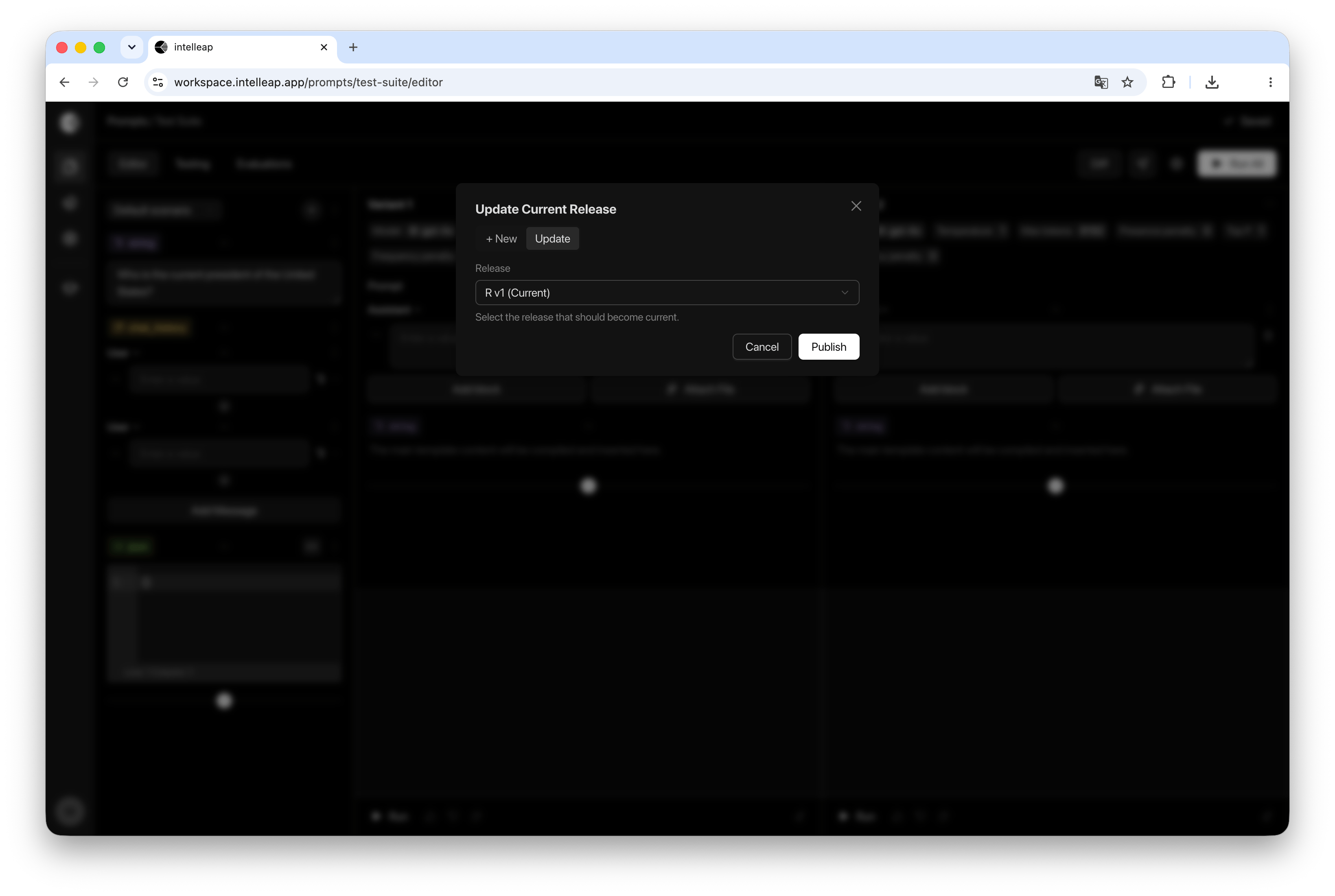
If a prompt has been modified after a release was published, the release can be updated. Open the Releases dialog and select the Update tab. The dialog displays all available releases for the current prompt. Updating a release applies the latest prompt configuration to the selected release.Using Releases
Testing and Evaluations always operate against a specific release. When a release is selected, Intelleap uses the prompt configuration that was published or last updated as part of that release. This ensures that testing and evaluation results remain consistent and reproducible.Releases and Testing
Published releases become available for selection in the Testing tab. Test Suites are created against a specific release and use the variables, scenarios, and prompt configuration stored in that release. If a release is updated after a Test Suite has been created, Testing automatically detects the changes and provides an option to synchronize the Test Suite with the latest release. For more information, see Interface Mismatch.Releases and Evaluations
All executions recorded in Evaluations are associated with a specific release. This helps connect results to the published prompt version that produced them. Result review and comparison happen in Evaluations. Release history is also available from the Evaluations tab.Best Practices
Consider updating or publishing a release whenever significant changes are made to:- Prompt structure
- Variables
- Scenarios
- Model settings
- Context blocks