> ## Documentation Index
> Fetch the complete documentation index at: https://docs.intelleap.app/llms.txt
> Use this file to discover all available pages before exploring further.
# Release History
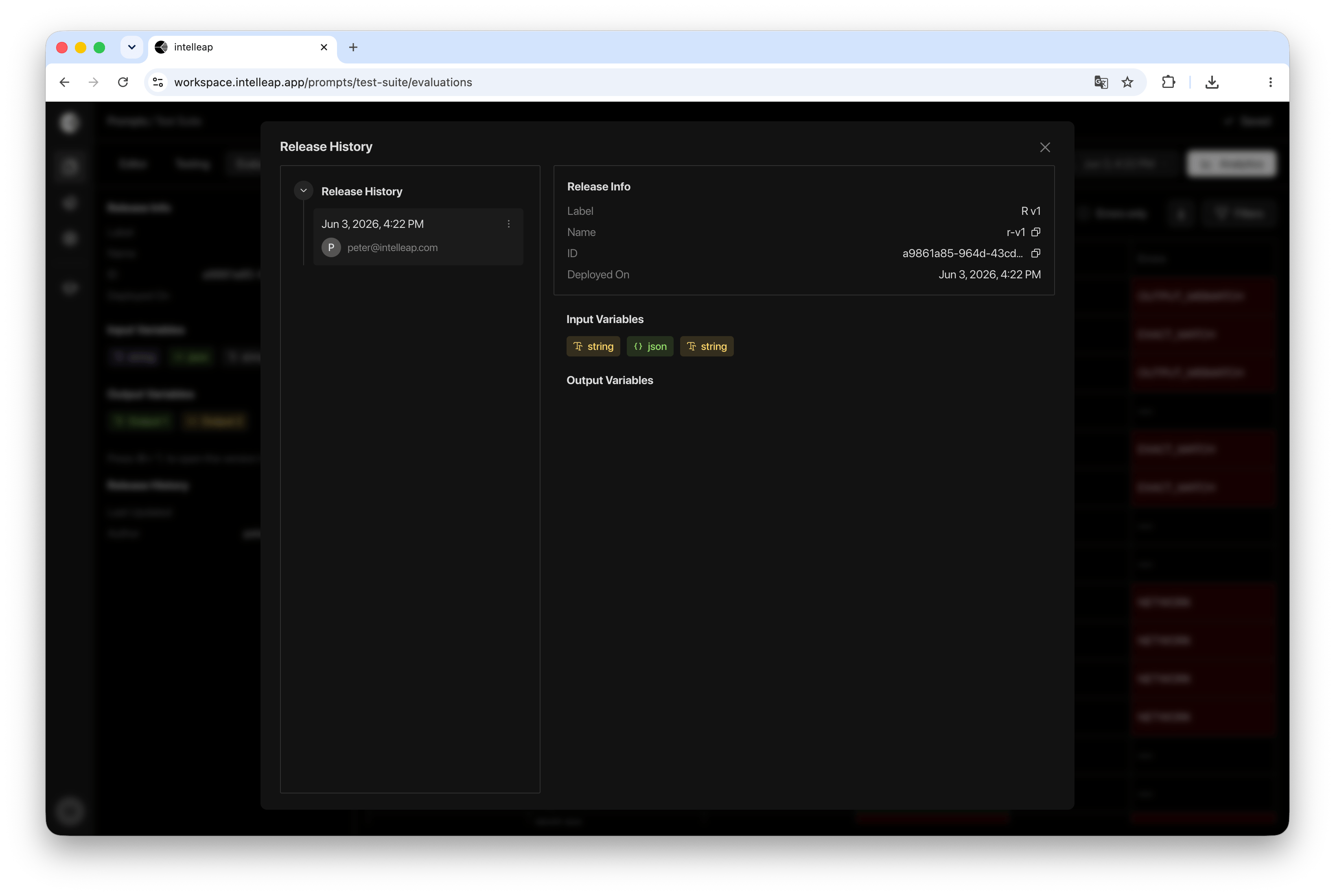
Release History provides access to all published releases associated with the current prompt. To open Release History, select **Release History** from the Evaluations tab.
A dialog will open displaying all available releases.
 ## Release List
The left side of the dialog displays a list of published releases for the current prompt.
Selecting a release updates the information displayed in the details panel.
For each release, the following information is displayed:
* Publication Date
* Author
* Release Version
Release History is primarily used for reviewing release information and managing published releases.
## Release Information
When a release is selected, the details panel displays summary information about that release.
Available information includes:
* Label
* Name
* Release ID
* Deployment Date
Input and output variables associated with the release are also displayed.
Variables are shown as badges, making it easy to understand the release structure without opening the Editor.
## Opening a Release in Sandbox
Any release can be opened using the **Open in Sandbox** action.
This allows users to quickly return to a previously published release and continue working with it.
## Deleting a Release
Release History also provides the ability to remove published releases.
To delete a release, open the release actions menu and select **Remove**.
After confirmation, the selected release is permanently removed.
Deleting a release does not affect other releases associated with the prompt.
## Using Release History
Release History helps users:
Review published releases and inspect release metadata.
View release input and output variable structure.
Open a published release using the Open in Sandbox action.
Remove outdated releases when they are no longer needed.
## Release List
The left side of the dialog displays a list of published releases for the current prompt.
Selecting a release updates the information displayed in the details panel.
For each release, the following information is displayed:
* Publication Date
* Author
* Release Version
Release History is primarily used for reviewing release information and managing published releases.
## Release Information
When a release is selected, the details panel displays summary information about that release.
Available information includes:
* Label
* Name
* Release ID
* Deployment Date
Input and output variables associated with the release are also displayed.
Variables are shown as badges, making it easy to understand the release structure without opening the Editor.
## Opening a Release in Sandbox
Any release can be opened using the **Open in Sandbox** action.
This allows users to quickly return to a previously published release and continue working with it.
## Deleting a Release
Release History also provides the ability to remove published releases.
To delete a release, open the release actions menu and select **Remove**.
After confirmation, the selected release is permanently removed.
Deleting a release does not affect other releases associated with the prompt.
## Using Release History
Release History helps users:
Review published releases and inspect release metadata.
View release input and output variable structure.
Open a published release using the Open in Sandbox action.
Remove outdated releases when they are no longer needed.