> ## Documentation Index
> Fetch the complete documentation index at: https://docs.intelleap.app/llms.txt
> Use this file to discover all available pages before exploring further.
# Releases
Releases are used to publish the current version of a prompt and make it available in Testing and Evaluations.
A release captures the current state of a prompt, including:
* Scenarios
* Variables
* Prompt body
* Variants
* Model settings
* Context blocks
After the first release is created, the Testing and Evaluations tabs become available.
 Testing and Evaluations always work from a published release, not from an unsaved editor draft.
## Creating a Release
To create a release, click **Releases** in the Editor header.
Click **Releases** in the Editor header.
In the Releases dialog, select the **New** tab.
Provide the release Label, Name, and Description, then publish the release.
When creating a release, provide:
* Label
* Name
* Description
Once published, the release becomes available in both Testing and Evaluations.
## Updating a Release
If a prompt has been modified after a release was published, the release can be updated.
Updating a release can create an interface mismatch for existing Test Suites that were created from the previous release structure.
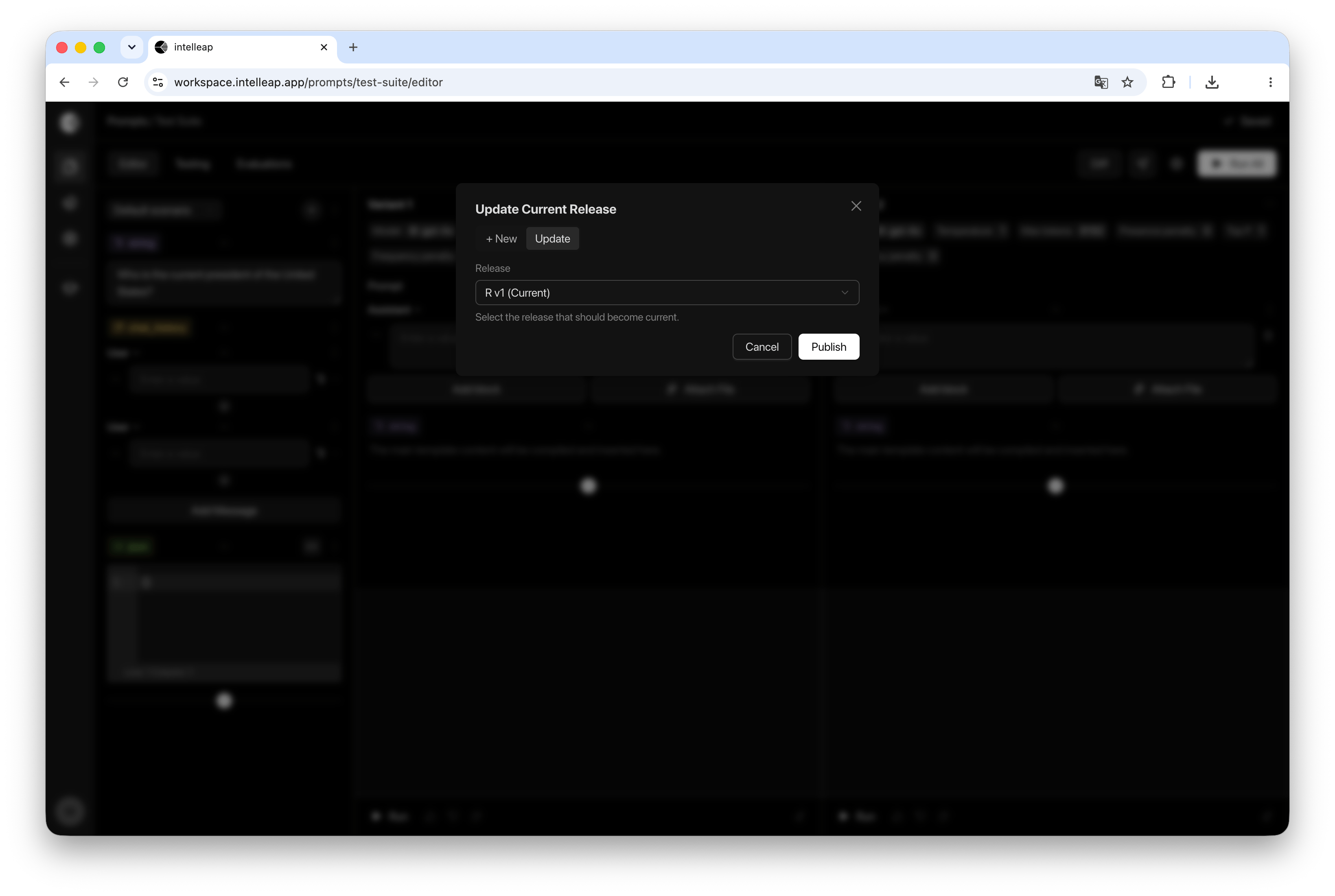
Open the Releases dialog and select the **Update** tab.
The dialog displays all available releases for the current prompt.
Updating a release applies the latest prompt configuration to the selected release.
## Using Releases
Testing and Evaluations always operate against a specific release.
When a release is selected, Intelleap uses the prompt configuration that was published or last updated as part of that release.
This ensures that testing and evaluation results remain consistent and reproducible.
## Releases and Testing
Published releases become available for selection in the Testing tab.
Test Suites are created against a specific release and use the variables, scenarios, and prompt configuration stored in that release.
If a release is updated after a Test Suite has been created, Testing automatically detects the changes and provides an option to synchronize the Test Suite with the latest release.
For more information, see **Interface Mismatch**.
## Releases and Evaluations
All executions recorded in Evaluations are associated with a specific release.
This helps connect results to the published prompt version that produced them. Result review and comparison happen in Evaluations.
Release history is also available from the Evaluations tab.
## Best Practices
Consider updating or publishing a release whenever significant changes are made to:
* Prompt structure
* Variables
* Scenarios
* Model settings
* Context blocks
Maintaining releases helps preserve a clear history of prompt development and makes test results easier to compare over time.
Testing and Evaluations always work from a published release, not from an unsaved editor draft.
## Creating a Release
To create a release, click **Releases** in the Editor header.
Click **Releases** in the Editor header.
In the Releases dialog, select the **New** tab.
Provide the release Label, Name, and Description, then publish the release.
When creating a release, provide:
* Label
* Name
* Description
Once published, the release becomes available in both Testing and Evaluations.
## Updating a Release
If a prompt has been modified after a release was published, the release can be updated.
Updating a release can create an interface mismatch for existing Test Suites that were created from the previous release structure.
Open the Releases dialog and select the **Update** tab.
The dialog displays all available releases for the current prompt.
Updating a release applies the latest prompt configuration to the selected release.
## Using Releases
Testing and Evaluations always operate against a specific release.
When a release is selected, Intelleap uses the prompt configuration that was published or last updated as part of that release.
This ensures that testing and evaluation results remain consistent and reproducible.
## Releases and Testing
Published releases become available for selection in the Testing tab.
Test Suites are created against a specific release and use the variables, scenarios, and prompt configuration stored in that release.
If a release is updated after a Test Suite has been created, Testing automatically detects the changes and provides an option to synchronize the Test Suite with the latest release.
For more information, see **Interface Mismatch**.
## Releases and Evaluations
All executions recorded in Evaluations are associated with a specific release.
This helps connect results to the published prompt version that produced them. Result review and comparison happen in Evaluations.
Release history is also available from the Evaluations tab.
## Best Practices
Consider updating or publishing a release whenever significant changes are made to:
* Prompt structure
* Variables
* Scenarios
* Model settings
* Context blocks
Maintaining releases helps preserve a clear history of prompt development and makes test results easier to compare over time.